A single PhysBox account gives you cloud saves with revision history across Volt, Mesh, Etch and Flux, an archive of every job your machines have run — searchable by material, and readable by your own AI agent — and PhysBox Native, the GPU-accelerated C++20 desktop build of Mesh for Linux and Windows.
Everything PhysBox simulates stays open-source and free in the browser. Pro is the account layer around it: your scenes follow you, your machines report back, and your workstation's GPU gets used properly.
Scenes, netlists, toolpaths and parameter sets are stored against your account rather than the browser profile that happened to make them. Sign in on another machine and the same presets are already in the list — no export step, no ~/Downloads full of near-identical JSON, no losing a lab's worth of tuning to a cleared site-data prompt.
Pro goes further than the presets you remember to save: the document you are working on is auto-saved as you go, with revisions kept behind it. Close the tab mid-thought and it is there when you come back — and if you preferred it how it was an hour ago, that version is still on the list.
The machine in the workshop is driven over WebSerial by whatever browser or desktop app is plugged into it — but with Pro that session also posts telemetry to your account. Progress, position, feed rate, spindle speed and errors are readable from any other device you are signed in on, so you can leave a four-hour engrave running and check it from your phone rather than the stool next to it.
Driving the machine is not gated — that works signed out, over WebSerial, as it always has. What Pro adds is being somewhere else while it runs, and keeping the run afterwards.
Live telemetry is one row per machine, overwritten several times a second — so without Pro, every finished job is destroyed by the next one. Pro archives each run instead: how long it took, how far it got, the feed and spindle trace, the line an alarm stopped it on, and the material and power it was cut at.
Which means “what did I cut that walnut at in March” becomes a question with an answer — inside the apps, on your history dashboard, or asked of your own AI agent.
The desktop build of Mesh: a C++20 application running MuJoCo natively against a Dear ImGui interface, with a GPU-accelerated 3D viewport. It is a reimplementation rather than a wrapper — no browser, no WebAssembly, no 4GB heap ceiling — and it shares its data with the web app, so a scene compiled here is byte-for-byte the scene the web app compiles.
Ctrl+Z.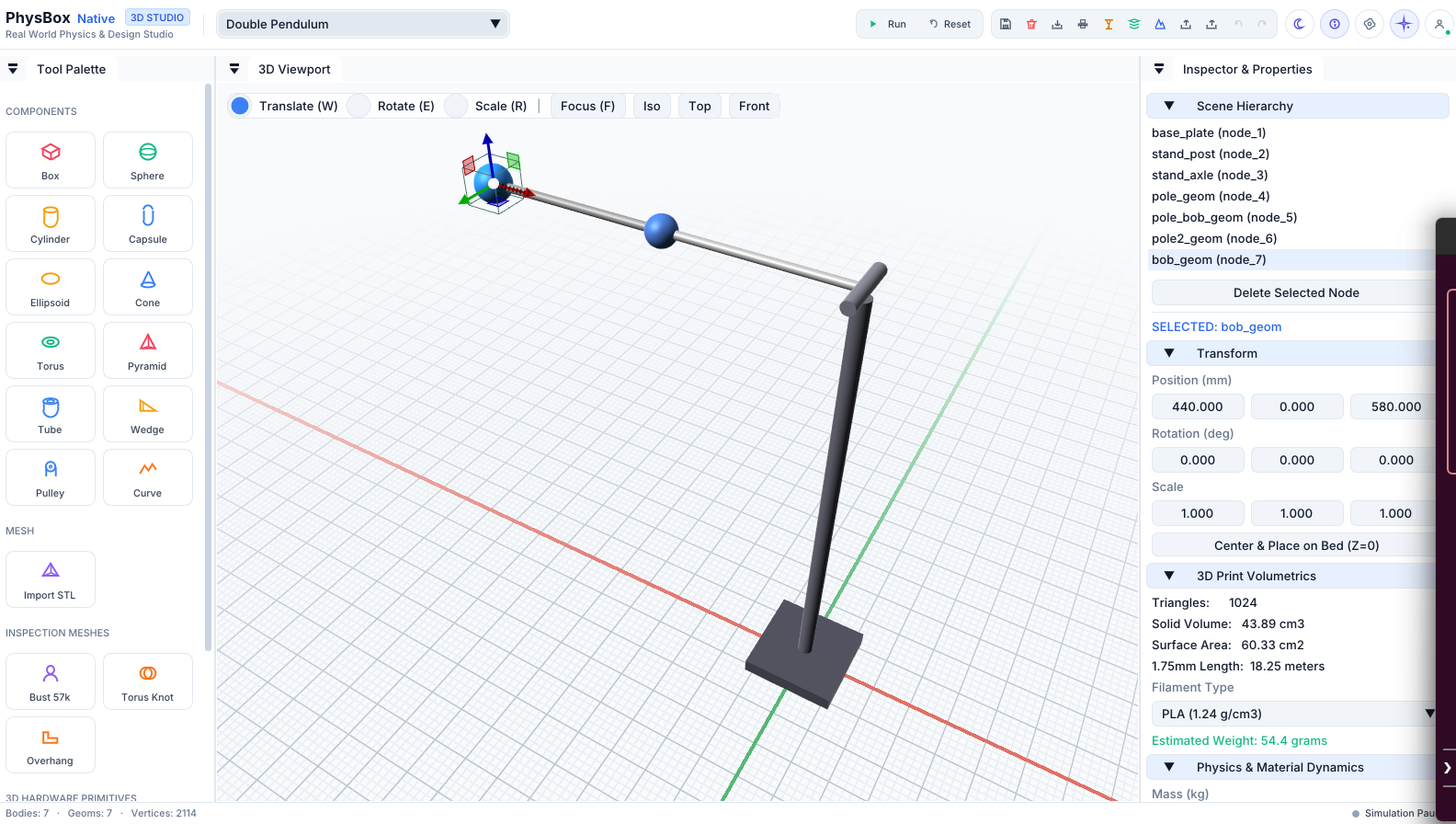
The web app's route from schematic to copper has always ended at your own CNC — G-code streamed straight over WebSerial to a mill sitting on your bench. Most people designing a board don't own one. Pro adds the other ending: a standard Gerber (RS-274X) and Excellon drill package, zipped in one click, that JLCPCB, PCBWay, OSHPark or any other fab house already knows how to read.
Nothing about milling changes — it's still free, still local, still yours. This is for the board that's too fine-pitch for a mill, needs two-layer plated-through vias, or you'd simply rather have somebody else's fab house make it. The native desktop app already exports Gerber for free, since it has no cloud costs to recover; this is what brings the same export to the browser.
.zip.The simulation engines are identical. Pro adds persistence, telemetry and the native desktop build.
| Capability | Free (browser) | PhysBox Pro |
|---|---|---|
| Volt, Mesh, Etch & Flux simulators | Full engines | Full engines |
| MCP tooling & AI copilot | Included | Included |
| Saving scenes & presets | Local browser storage only | Cloud saves, synced across devices |
| Auto-saving the document you are working on | Not saved anywhere | Auto-saved, with revision history |
| Driving a machine over WebSerial | Full control | Full control |
| Monitoring a running machine | Only on the device that is driving it | From any signed-in device |
| History of finished jobs | Overwritten by the next run | Every run kept, with its settings and trace |
| Agent access to your workshop history | Nothing recorded to read | Read-only MCP token |
| PhysBox Native desktop app | Not available | Linux & Windows download |
| Gerber & Excellon export (Volt) | Milling via WebSerial only | Gerber + drill file, any fab house |
| Rendering | WebGL in a browser tab | Native GPU viewport with 4x MSAA |
| Model size ceiling | Capped by the 4GB WASM heap | Bounded by your machine's RAM |
We believe tools you rely on shouldn't expire if your subscription stops. PhysBox Pro uses a transparent perpetual fallback license model: you pay while you want continuous updates and cloud infrastructure, but you own the software you download forever.
Unlimited downloads of every new Linux and Windows desktop build as soon as released, automatic updates, cloud preset syncing across web simulators, and live cross-device machine telemetry.
Keep running your downloaded desktop builds forever. Binaries are 100% DRM-free and fully functional offline with no phone-home kill switches. Only cloud sync and new version updates pause.
PhysBox Pro is in Early Access. Signing in with Google registers your account — the download page lists the builds available to you.